


One-Boat Network
2.5152.00 Reviews
App Specs
- Version
- 5.080
- Updated On
- License
- Free
- Downloads
- 100,000+
- Developer
- Johnson Outdoors
- Categories
- Sports
- Platform
- Android
Screenshots
 Analysis by AppCompare
I see the One-Boat Network as a companion for boaters who already rely on compatible Humminbird or Minn Kota equipment, not as an all-purpose boating app that replaces every chart, forecast, or onboard control. Its best idea is bringing parts of that gear into a phone-based workflow. That can make a trip feel more coordinated, but the value depends heavily on what you own and how reliably the app works with your setup.
That distinction matters before downloading. The app is free, while in-app purchases are listed at $24.99 per item, so I would check what a particular purchase covers before treating the core download as the whole experience. It is a sports app from Johnson Outdoors, with an Everyone age rating, and it has reached over 50,000 installs. Those figures suggest a focused audience rather than a universal boating tool, which fits its equipment-centered purpose.
A useful companion when your boat already has the right gear
When a boat is equipped with Humminbird or Minn Kota products, a phone interface can be useful for small decisions that otherwise require moving around the boat or switching between devices. The appeal is not simply that a smartphone can display information; it is that it may help connect the equipment you already use into one working routine. For an angler managing a fishing trip, reducing those little interruptions can be more valuable than adding another standalone map app.
I would still treat the app as a companion rather than the only way to operate or navigate. Water outings bring practical constraints that a screen cannot remove: sunlight, wet hands, limited attention, and the need to keep essential equipment usable. I would set up and learn any connected controls while docked, then keep the boat’s normal controls and safety habits in place. The app makes the most sense when it supports a familiar setup instead of becoming a single point of dependence.
What the ratings and version suggest about expectations
The overall feedback deserves a careful look: the app has an average rating of 2.1 from around 214 ratings, with roughly 140 written reviews. That is a low score, and I would not brush it aside just because the concept sounds convenient. For an app tied to boat electronics, a frustrating connection or a confusing workflow can undermine the entire reason to use it. I would read recent user comments before planning a trip around any function that matters to me.
The current version is 5.070, and the app was released on February 8, 2023. It supports devices running iOS 7.1 or later. Those details help set expectations, but they do not guarantee a particular phone, accessory, or boat configuration will work as intended. Before leaving shore, I would install it, check the equipment pairing, and try the functions I expect to use. The rating makes that practical test especially important.
Seamless Integration with Your Boating Gear
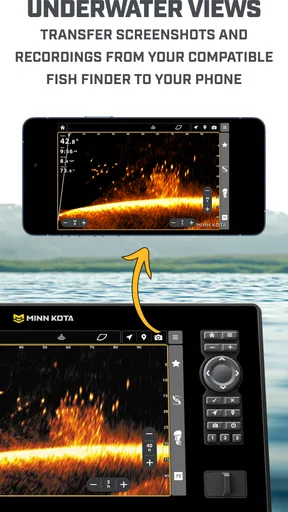
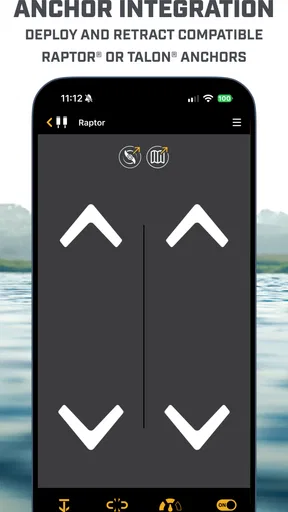
The first thing you’ll notice about the One-Boat Network is its ability to integrate seamlessly with your existing boating equipment. This app is designed to communicate with a range of devices such as fish finders, GPS systems, and radar units. So, if you’ve got a Humminbird or Minn Kota device, you’re in luck! The app acts as a hub where all these devices can communicate and share data effortlessly.
Worth Reading Before You Choose

Flipboard Shows What News Apps Must Do Beyond the Feed

Switching to Android Auto Means Rethinking Your Driving Routine

Google Calendar Makes a Crowded Week Easier to Manage

Ludo King Makes the Most of the Minutes Between Plans

Baby Panda World Brings Quick Play to Modern Phones, but Its Game Library Feels Busy

ESPN’s Live Game View Makes Following Close Games Easier
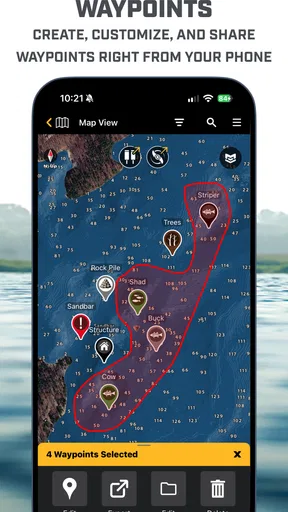
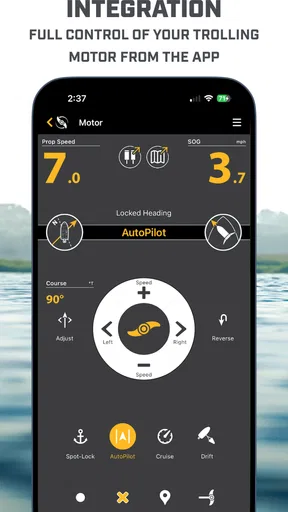
Imagine adjusting your trolling motor speed or setting waypoints directly from your smartphone. It’s like having a high-tech control center right in your pocket. This level of integration makes it incredibly convenient, especially when you’re out there surrounded by nothing but water.
User-Friendly Interface
Now, let’s talk about the user experience. You won’t need a degree in computer science to navigate this app. The interface is intuitive and straightforward, making it easy for anyone to use. Whether you’re a seasoned sailor or a weekend warrior, the app’s design ensures that you can access all its features without any hassle.
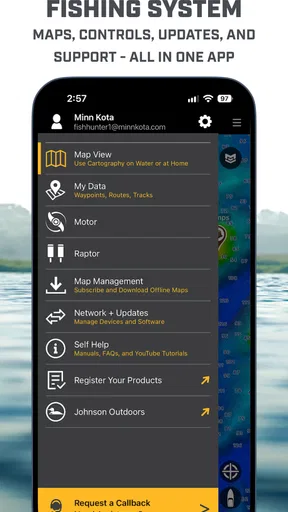
The menus are well-organized, and the icons are easy to understand. You can quickly switch between different functions, like checking weather forecasts or setting up routes, without getting lost in a sea of options.
Real-Time Updates and Alerts
One of the standout features of the One-Boat Network is its ability to provide real-time updates and alerts. Knowing the current weather conditions, wind speeds, and potential hazards is crucial when you're out on the water. This app keeps you informed with up-to-the-minute information, ensuring you’re always a step ahead.
Plus, you can set up custom alerts for things like shallow waters or changing weather conditions. This means you can relax and enjoy your time on the boat without constantly checking your devices. The app will notify you if there’s something you need to be aware of.
Community and Support
Another great aspect of the One-Boat Network is the strong community behind it. The app offers a platform where boaters can connect, share tips, and learn from one another. Whether you’re looking for advice on the best fishing spots or want to share your own experiences, the community feature is a fantastic resource.
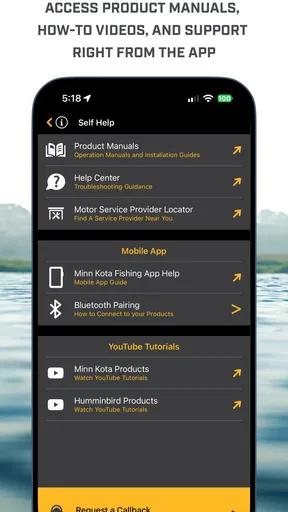
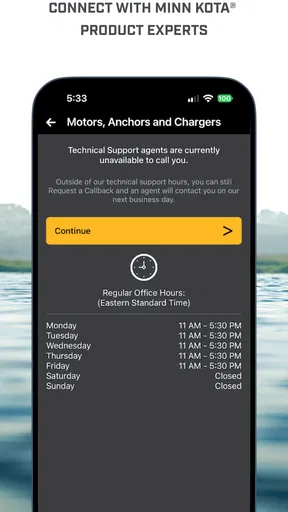
Support is also impressive. If you run into any issues, there’s a comprehensive help section, and customer service is just a tap away. The developers are keen on listening to user feedback and regularly update the app to enhance functionality and fix bugs.
Why You Should Give It a Try
For a typical weekend outing, I would use the app as part of the preparation rather than wait until I am already moving. At home or at the dock, I’d open it, confirm that the phone and onboard equipment can communicate, and decide which tasks I actually want to handle from the screen. That simple rehearsal helps reveal whether the app fits my boat before conditions make troubleshooting inconvenient. If the connection is unreliable at the dock, I would not assume it will become dependable once I am underway.
There is also a useful division of labor to consider. A chartplotter or dedicated display is usually easier to glance at while steering, while a phone can be more convenient when I am checking something up close or moving around the boat. I would avoid trying to manage a detailed screen while navigating or handling a catch. The strongest setup is one where the app reduces unnecessary trips between stations without distracting the person responsible for the boat.
If I were taking a friend who had never used the boat’s electronics, I would explain which functions belong to the phone and which remain on the onboard equipment before departing. That prevents a guest from mistaking an app display for a complete substitute for the boat’s normal instruments. It also makes the phone more useful as a shared reference point: one person can check a setting or waypoint while the operator keeps attention on the water.
The practical question is whether the app can replace other tools. For someone with no compatible Humminbird or Minn Kota equipment, a general navigation app may be the more straightforward choice, since this app’s central attraction is its relationship with that hardware. For a boat already built around the relevant equipment, a general-purpose alternative may offer a different kind of convenience but cannot automatically serve as the same companion to that setup. I would choose based on the boat first, not on which app has the broadest-sounding feature list.
I would also be cautious about assuming every boat, accessory, or phone can use every function in the same way. Before spending money on an in-app item, I’d identify the exact task I want it to solve and verify that it fits my equipment. The free download makes it easy to investigate, but the listed $24.99 per item purchase price is enough reason to avoid buying on vague promises. A clear need—rather than curiosity alone—is a better basis for paying.
For an angler who already has the compatible hardware, the strongest case is convenience across a familiar kit. For a casual passenger or a boater who mainly wants simple route planning, that same integration may be beside the point. I would skip it if I had no matching equipment, disliked troubleshooting phone connections, or needed a navigation tool that stands on its own. In those cases, a dedicated chartplotter or a general boating app is likely to be a better first choice.
So, why should you consider downloading the One-Boat Network app? If you’re serious about boating and want to make the most out of your time on the water, this app is a game-changer. Its seamless integration with multiple devices, real-time updates, and user-friendly interface make it a must-have for any boater.
Plus, the sense of community and reliable support ensure that you’re never alone out there. Whether you’re fishing, cruising, or just enjoying a sunny day, this app enhances your boating experience in ways you never thought possible.
In conclusion, the One-Boat Network is more than just an app—it’s a comprehensive tool that enriches your time on the water. So, go ahead, download it, and see for yourself how it can transform your boating adventures!
My verdict after weighing the trade-offs
I would recommend giving it a try if your boat already uses Humminbird or Minn Kota equipment and you are willing to test the connection before relying on it. The combination of a free starting point and a focused role makes that a reasonable experiment, but the low average rating means I would keep expectations measured and avoid making it essential to a trip until it proves itself with my own gear.
For everyone else, I would not download it simply because it sounds like a complete boating control center. Its appeal is specific, and that specificity is both its strength and its limitation. If it helps your existing equipment work together in a way you genuinely use, it could earn a place in your routine. If you need a dependable standalone navigation app or have no compatible gear, I would look elsewhere first.
Pros
- Seamless integration with marine devices.
- Intuitive and user-friendly interface.
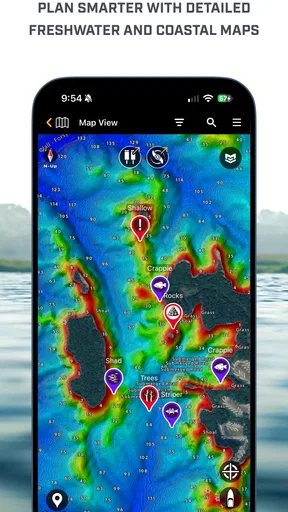
- Comprehensive mapping features.
- Real-time weather updates.
- Customizable navigation settings.
Cons
- Limited offline functionality.
- Requires subscription for full features.
- Can be data-intensive on mobile.
- Occasional sync issues reported.
- Interface may feel complex for beginners.
FAQs for One-Boat Network
What is the One-Boat Network app?
The One-Boat Network app is a comprehensive platform designed for boating enthusiasts. It integrates seamlessly with your marine electronics to provide real-time navigation, fish finding, and weather updates. This app aims to enhance your boating experience by offering a connected network, allowing users to customize and manage their on-water activities effectively.
Is the One-Boat Network app compatible with my devices?
The app is compatible with both Android and iOS devices. However, for optimal performance, it is recommended to check the app store for the specific OS version requirements. Additionally, the app works best with compatible marine electronics, so ensure your equipment is supported for full functionality.
Does the One-Boat Network app require a subscription?
While the app itself is free to download, certain features may require a subscription or one-time purchase. These premium features often include advanced navigation tools and detailed map overlays. Users should review the in-app purchase options to determine the best plan for their needs based on usage and desired features.
How can I ensure my data is secure on the One-Boat Network app?
The One-Boat Network app employs robust security measures to protect user data. It uses encryption for data transmission and storage, ensuring sensitive information is safeguarded. Users are encouraged to keep the app updated to the latest version to benefit from ongoing security enhancements and to review privacy settings regularly.
What are the main features of the One-Boat Network app?
The app offers a variety of features, including real-time GPS navigation, fish tracking, weather updates, and the ability to connect and control compatible marine devices. It also provides social sharing options, allowing users to share favorite routes and catches with friends. The app's interface is user-friendly, designed to enhance the overall boating experience.


